
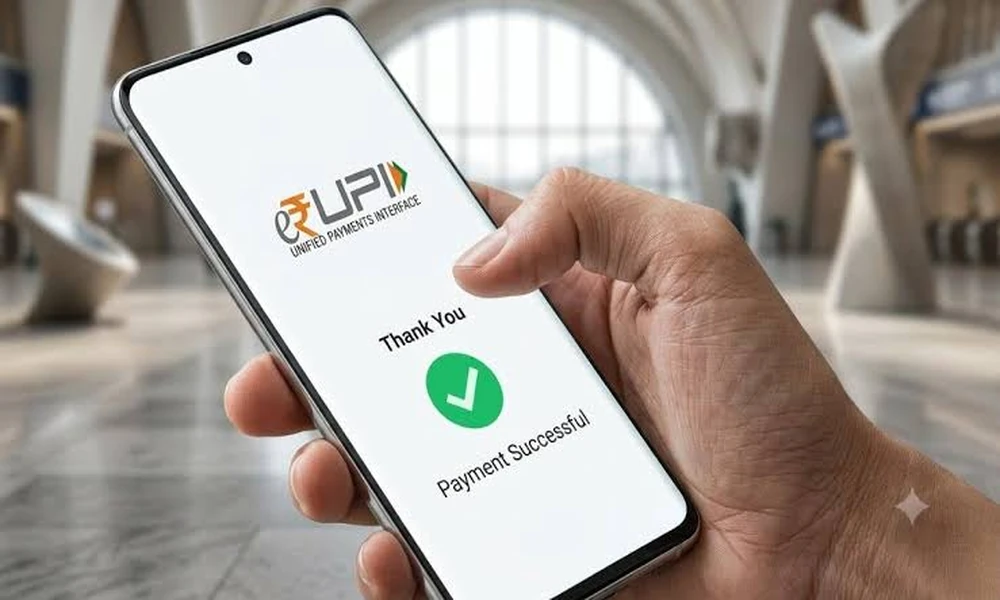
Busy business hours can make payment management difficult for retailers, restaurants and service providers. When several customers are waiting to complete purchases, employees must handle billing, confirm payments and serve the next customer without unnecessary delays.
Digital payments have reduced the need for handling cash, but confirming every transaction can still require attention. Merchants may need to check their phones repeatedly to verify whether customers have completed UPI transfers.
Payment announcement applications provide an alternative way to receive transaction notifications. These applications can announce eligible incoming payments aloud, helping merchants identify payment activity while continuing their work.
Understanding how payment announcements function, their limitations and the precautions required can help businesses manage transactions during busy periods.
Why Payment Management Becomes Difficult During Peak Hours
Peak business hours occur when customer activity increases within a short period.
A grocery store may experience higher footfall during evenings, while a restaurant may receive most of its orders during lunch and dinner.
During these periods, payment-related challenges can include:
- Multiple customers paying simultaneously
- Delayed transaction notifications
- Difficulty checking payment screens
- Incorrect payment amounts
- Confusion between completed and pending transactions
- Employees managing several billing responsibilities
For example, a small food outlet may receive 30 digital payments within an hour. Checking each transaction manually while preparing orders can interrupt the workflow.
A reliable payment confirmation process helps employees manage these situations more consistently.
What Is a UPI Payment Announcer?
A UPI payment announcer is an application or supported notification service that provides audible alerts for eligible incoming UPI transactions.
When the service receives a supported payment notification, it may announce the amount received.
For example, after a successful payment of ₹450, the application may provide a voice notification indicating the amount.
The exact information announced depends on the application, device settings and available payment data.
Some services rely on notifications from supported payment applications, while others may have direct merchant-service integrations.
This distinction matters because a notification-based announcement may not independently verify that funds have been credited.
How Do UPI Payment Announcements Work?
The process generally involves connecting or configuring the announcement service with a supported payment notification source.
Payment Initiation
A customer scans the merchant’s QR code or uses another supported UPI payment method.
The customer reviews the amount and authorises the transaction.
Transaction Notification
When the payment service processes the transaction, a notification may become available through the merchant’s payment system.
Voice Announcement
The announcer application uses the available notification information to produce an audible message.
Merchant Verification
The merchant can identify the reported payment amount and compare it with the customer’s bill.
For important or uncertain transactions, employees should verify the final status through their official merchant payment records.
An audible alert alone should not be treated as conclusive proof of settlement.
How a UPI Announcer App Supports Busy Retail Counters
A upi announcer app may help merchants manage eligible incoming payment notifications without opening a transaction screen after every customer interaction.
Consider a neighbourhood grocery store handling several customers at the same time.
One employee prepares the bill while another packs purchases. Customers complete payments using the displayed QR code.
When supported payment notifications are announced aloud, staff can hear the reported amounts while continuing their assigned tasks.
Potential operational benefits include:
- Reducing repeated phone checks.
- Making incoming payment notifications easier to notice.
- Helping employees identify reported payment amounts.
- Supporting counter operations during busy periods.
- Reducing interruptions during customer service.
However, these benefits depend on notification accuracy, device connectivity and correct application configuration.
Merchants should maintain a separate process for checking missing or uncertain payment confirmations.
Payment Announcer Apps vs Merchant Soundboxes
Both payment announcer applications and merchant soundboxes can provide audible payment notifications, but their setup and functionality may differ.
Smartphone-Based Announcer Applications
These services operate through a compatible mobile device.
Depending on the application, they may require notification access, background operation or other permissions.
Their performance can be affected by phone settings, internet availability and notification delivery.
Dedicated Merchant Soundboxes
A merchant soundbox is a separate device designed to provide supported payment alerts.
It may operate through its own connectivity arrangement, depending on the provider.
Dedicated devices can be useful when businesses prefer not to rely on an employee’s personal smartphone.
Neither option eliminates the need to verify transactions through official records.
Benefits for Different Types of Businesses
Audible payment notifications can be useful in several commercial environments.
Grocery and Convenience Stores
Store employees can hear eligible payment alerts while handling purchases, packing items or assisting other customers.
Restaurants and Food Counters
During busy meal periods, audible notifications may help counter staff identify incoming payments without repeatedly switching between order preparation and payment screens.
Small Retail Outlets
Businesses with limited staff may find payment announcements useful when one person manages billing and customer service.
Service Centres
Repair shops and other service providers can use supported alerts to identify incoming transaction notifications while attending to customers.
The usefulness of these services depends on transaction volume, store layout and existing payment procedures.
Important Limitations Merchants Should Understand
Payment announcer services are useful only when merchants understand what the alerts represent.
A notification may be delayed, missed or duplicated because of application or connectivity issues.
Some announcer applications read notification content rather than independently retrieving the final payment status.
This means an audible announcement should not replace verification through the actual merchant payment system.
Delayed Notifications
An announcement may occur after the customer has completed the transaction.
Merchants should check payment history when a notification does not arrive as expected.
Multiple Payments of the Same Amount
Two customers may pay identical amounts within a short period.
A merchant should not assume that one announcement confirms both payments.
Incorrect Notification Permissions
If the application lacks necessary permissions, announcements may not work properly.
Only grant permissions that are reasonably necessary and review the privacy implications.
How to Evaluate a Payment Announcer Application
Before using an announcement service, businesses should review its compatibility and functionality.
Important considerations include:
- Support for the merchant’s payment service
- Accuracy of announced amounts
- Notification delivery reliability
- Device compatibility
- Required application permissions
- Available language and volume settings
- Privacy and data-handling practices
- Applicable subscription charges
A short trial during normal business activity can help identify whether the service meets the business’s requirements.
For busy stores, testing during peak transaction periods may reveal issues that are not noticeable when only a few customers are present.
Keeping Payment Announcements Secure
Businesses should avoid giving unfamiliar applications unnecessary access to sensitive information.
Some notification-based services may request permission to read notifications, which can expose information from other applications.
Review the requested permissions and the provider’s privacy terms before enabling access.
Employees should also follow basic payment security practices:
- Use trusted application sources.
- Protect merchant account credentials.
- Review incoming transaction records.
- Avoid sharing authentication codes.
- Keep devices updated.
- Report suspicious payment activity promptly.
Merchants should never rely on customer screenshots or spoken claims as the only confirmation of payment.
Managing Merchant Pay During Busy Business Hours
A reliable Merchant Pay process should combine payment notifications with transaction verification and accurate record-keeping.
During peak hours, merchants can assign clear responsibilities for billing, monitoring payments and resolving uncertain transactions.
For example, one employee may manage customer orders while another reviews payment status when an announcement is missing or unclear.
After the busy period, the business should compare recorded sales with successful payment transactions.
This review can help identify missing entries, duplicate records and unresolved payment issues.
Audible announcements can support everyday counter operations, but transaction history and settlement records remain essential for accurate financial management.
Conclusion
UPI announcer applications can help businesses manage payment notifications during busy operating hours.
By providing audible alerts for supported incoming transactions, these services may reduce the need to check payment screens repeatedly and help employees remain aware of payment activity.
However, notification announcements are not a replacement for verifying transaction status.
Businesses should assess application compatibility, notification reliability, privacy permissions and operational requirements before adopting such services.
Combining payment announcements with clear employee responsibilities and regular reconciliation can help merchants maintain more organised payment operations.
Frequently Asked Questions
1. What Is a UPI Announcer App?
A UPI announcer app provides audible notifications for supported incoming UPI payments, helping merchants identify reported transactions without repeatedly checking their phones.
2. Can a UPI Announcer App Confirm Every Successful Payment?
Not necessarily. Notifications may be delayed or unavailable, and some applications rely on notification content. Merchants should verify uncertain payments through official transaction records.
3. Is a Merchant Soundbox Better Than a Payment Announcer App?
The suitable option depends on business needs, device availability, connectivity, service compatibility and costs. Both can provide audible payment notifications.
4. Can UPI Announcer Apps Help During Peak Shopping Hours?
Yes. Supported voice alerts may help employees notice incoming payments while managing billing and customer service, although final payment verification remains important.